

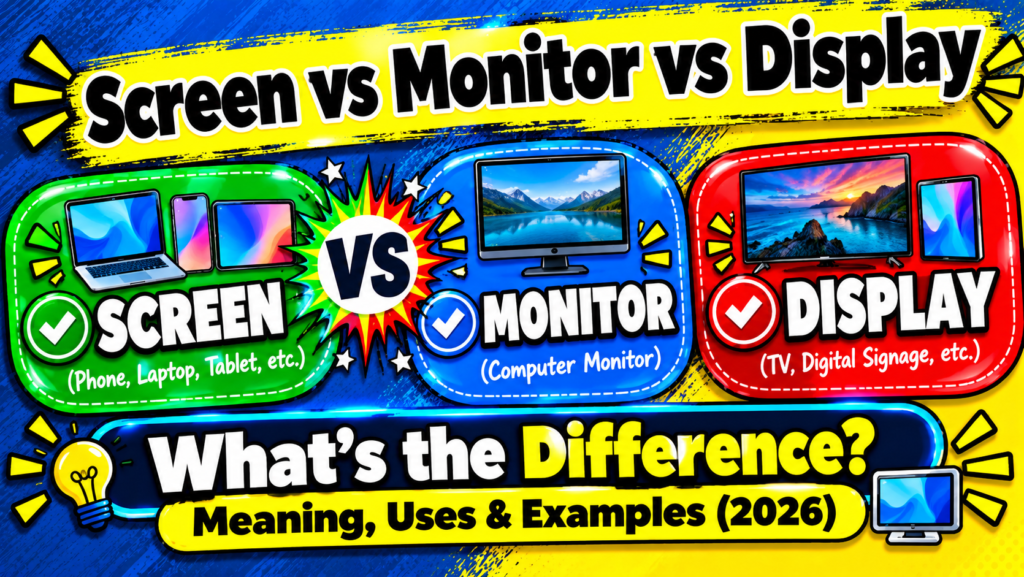
Ever told a friend your “monitor” was cracked when you meant your phone? 😄 You’re not alone. 🙌 People swap screen, monitor, and display all day, and most of the time everyone still understands. 🔄 But the words are not identical, and the difference matters in writing, shopping, and tech support. ✅ This guide gives you clear definitions, real examples, and simple tricks to choose the right word. 🎯
Quick Answer: Screen vs Monitor vs Display
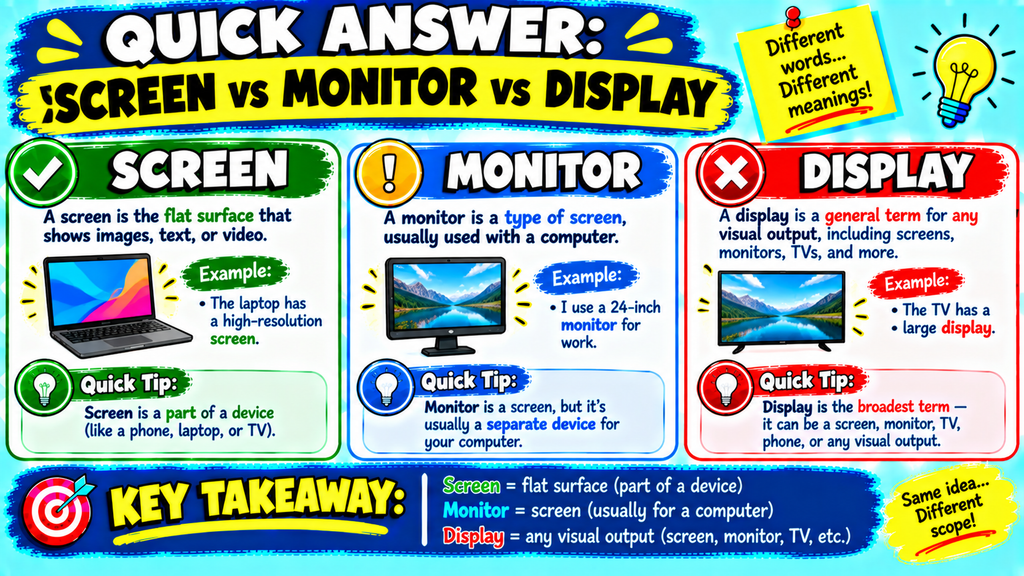
A screen is the surface where you see images. 👀 A monitor is a standalone device that shows output from a computer. 🖥️ A display is the broad term for any device or technology that shows visual information. 📺 In casual speech they overlap, but these definitions keep your writing precise. ✍️
| Term | Core Meaning | Best Used For | Example |
|---|---|---|---|
| Screen | The viewing surface | Phones, tablets, laptops, cinemas | Phone screen |
| Monitor | A standalone computer output device | Desktop PCs, gaming, office work | 27-inch monitor |
| Display | Any visual output device or technology | Technical or general contexts | OLED display |
Memory trick: Screen = what you look at. Monitor = what you plug in. Display = the whole visual system. 🧠
Understanding the Basics: Screen vs Monitor vs Display
Think of a computer image as a short relay race. 🏃 Each part hands the picture to the next one.
- The graphics card (GPU) creates the image data. 💻
- A cable such as HDMI or DisplayPort carries the signal. 🔌
- The display panel turns that signal into lit pixels. 💡
- The screen is the surface you actually see. 👁️
- The monitor is the complete box holding the panel, circuitry, ports, buttons, and stand. 📦
Early desktops used bulky CRT monitors. 🕰️ Today, flat panels built on LCD, LED, and OLED technology dominate. ✨
One honest note: tech writers don’t always agree here. 🤝 Some use “display” for the image-making technology, while others use it as an umbrella word. 🌂 This article treats it as the umbrella term, which works in both cases. 👍
Correct Meanings & Uses
What Does “Screen” Mean?
A screen is the visible surface where images appear. 🖼️ It can be electronic, like a phone or TV screen, or physical, like a cinema or projector screen. 🎬
Common examples:
- “My phone screen cracked yesterday.” 📱
- “The film looked incredible on the big screen.” 🍿
- “Lower your screen brightness at night.” 🌙
Popular phrases include screen size, screen time, screen resolution, touchscreen, and screen protector. 🔍
Test Tip: If you mean the surface you look at or touch, say screen. ✅
What Does “Monitor” Mean?
A monitor is a standalone output device that connects to a computer, console, or similar source. 🎮 It has its own power supply, controls, and stand. 🔋 Most connect through HDMI, DisplayPort, or USB-C. 🔌
Buyers usually compare these monitor features:
- Resolution: 1080p, 1440p, or 4K 📐
- Refresh rate: How many times per second the image updates (60Hz, 144Hz) ⚡
- Panel type: IPS, VA, or TN 🎨
- Size: Measured diagonally across the viewable area 📏
Examples: “I added a second monitor to my desk.” 🖥️ “This gaming monitor has a fast refresh rate.” 🎯
Test Tip: If it sits on a desk and connects to a computer by cable, call it a monitor. ✅
What Does “Display” Mean?
Display is the widest of the three terms. 🌍 It covers any device or technology that presents visual information, from a smartwatch to a digital billboard. ⌚ It also names the technology itself, such as LCD, OLED, MicroLED, or e-paper. 🔬
Examples:
- “The watch has a bright OLED display.” ✨
- “The airport display shows every departure.” ✈️
- “Open your display settings to change the resolution.” ⚙️
Test Tip: If you’re talking about quality, technology, or visual output in general, choose display. ✅
Case Study Section: One Laptop, Three Problems
Here is a simple, made-up scenario. 📝 Maya buys a laptop and adds an external 27-inch monitor. 💼
| Situation | What Maya Says | Why That Word Fits |
|---|---|---|
| The laptop glass cracks | “My laptop screen is broken.” | She means the surface. |
| The external unit shows “No Signal” | “My monitor isn’t working.” | It’s the standalone device. |
| Colors look dull | “I need to adjust my display settings.” | She means the overall visual output. |
The lesson is simple. 💡 One setup can involve all three words, and each one points to a slightly different thing. 🎯
Grammar Rules Explanation
All three words are countable nouns, so you can say “a screen,” “two monitors,” or “several displays.” 🔢 Each also works as a verb, and the meaning changes completely. 🔄
- Screen (verb): to check or filter. “We screen all applicants.” 📋
- Monitor (verb): to observe over time. “Nurses monitor heart rate.” ❤️
- Display (verb): to show. “The app will display your results.” 📊
Prepositions matter too. 📌 Say “on the screen” and “on a monitor.” 🖥️ “On display” is an idiom meaning publicly shown, as in “The new phones are on display.” 🏬
Compound nouns follow set patterns. 🧩 You’ll see screen time, screen share, monitor stand, monitor arm, and display settings. ✍️ Keep them lowercase unless they’re brand or standard names, such as DisplayPort or Apple Studio Display. 🔤
Common Mistakes

| Mistake | Why It’s Off | Better Version |
|---|---|---|
| “My phone monitor is cracked.” | Phones don’t have monitors. | “My phone screen is cracked.” |
| “I bought a new screen for my PC.” | It’s vague and could mean a laptop part. | “I bought a new monitor for my PC.” |
| “Every display is a monitor.” | Display is the broader category. | “A monitor is one type of display.” |
| “A 24-inch monitor has a 24-inch frame.” | Size is measured diagonally on the viewable area. | “It has a 24-inch screen.” |
Another common slip is thinking a TV and a monitor are the same. 📺 Many TVs can work as monitors, but monitors are usually built for sharper text, low input lag, and desk-distance viewing. 🔎
Similar Grammar and Word Confusions
These tech pairs trip people up too. 🤔
| Pair | Quick Difference |
|---|---|
| Panel vs screen | The panel is the internal component; the screen is what you see. |
| TV vs monitor | A TV is built for broadcasts and streaming; a monitor is built for computer use. |
| Touchscreen vs touchpad | A touchscreen is the display itself; a touchpad is a separate input surface. |
| Resolution vs screen size | Resolution counts pixels; size measures inches. |
| Projector vs projector screen | The projector throws the image; the screen receives it. |
Usage in Different Contexts
Everyday Conversation
People say “screen” for phones and tablets, and “monitor” for desk setups. 🗣️ Example: “Can you look at my screen? Something looks weird.” 👀 Nobody will correct you here. 😊
Professional Writing
Precision builds trust in manuals, reports, and product pages. 💼 Use “monitor” for standalone computer hardware, “screen” for user instructions, and “display” for specs. 📄 Example: “Connect the HDMI cable to the monitor, then open display settings.” 🔧
Creative Writing ✍️
Each word carries a different mood. 🎭 A screen glows in a dark bedroom. 🌌 A monitor hums on a lonely office desk. 🏢 A display flickers in a shop window. 🛍️ Pick the one that matches the image you want in the reader’s mind. 🧠
Social Media and Texting
Short words win online. 📲 You’ll see screenshot, screen share, and “new monitor setup 🔥” everywhere. 🚀 Hashtags like #desksetup and #gamingmonitor use the exact words buyers search for. 🔍
Why It Matters (Important)

Clarity
The right word prevents confusion. 💬 “My screen is black” and “my monitor shows no signal” lead to different fixes. 🛠️
Professionalism
Accurate terms make you sound credible. 🎓 They matter most in resumes, product listings, and client emails. 📧
Writing Accuracy
Correct wording helps readers and search engines understand your content. 🔎 It also stops you from describing hardware that doesn’t exist. ✅
Better Technical Conversations
Support teams, sellers, and friends can help faster when you name the right part. ⚡ That saves time and avoids buying the wrong product. 💰
Special Exception
The rules bend in a few places. 🌀
- Monitor isn’t always computer hardware: heart monitor, baby monitor, hall monitor. 👶
- Screen can be non-electronic: window screen, sunscreen, medical screening. 🪟
- Display can mean exhibition: a museum display or shop display. 🏛️
- Brand names can break the pattern: Apple’s Studio Display is, in practice, a monitor. 🍎
- Built-in panels on all-in-one PCs and laptops are often called “the display” in specs. 💻
Context decides, so always check what the sentence is about. 🧐
Quick Recap Checklist
- ✅ Screen = the surface you see or touch.
- ✅ Monitor = a standalone device for computers and consoles.
- ✅ Display = the broad term for any visual output or its technology.
- ✅ Phones and tablets have screens, not monitors.
- ✅ Every monitor has a screen, but not every screen belongs to a monitor.
- ✅ Check the context for verbs and idioms.
Frequently asked questions: Screen vs Monitor vs Display
What is the main difference between a screen, monitor, and display?
A screen is the viewing surface, a monitor is a standalone computer output device, and a display is the broad term for any visual output. 📺
Is a screen the same as a monitor?
No. A monitor is a complete device that includes a screen, but a screen can also belong to a phone, TV, or cinema. 🎬
Is a monitor a type of display?
Yes. A monitor is one kind of display, but not every display is a monitor. ✅
Is a laptop screen a monitor?
Not usually. A laptop has a built-in screen, while a monitor is a separate unit you connect to it. 💻
Can a TV be used as a monitor?
Yes, through HDMI. Just expect differences in text sharpness and input lag compared with a dedicated monitor. 🔌
Is a phone screen a display?
Yes. A phone has a screen you touch and a display technology (like OLED) behind it, but it is not a monitor. 📱
Which word is best for professional writing?
Use “monitor” for desktop hardware, “screen” for user instructions, and “display” for technical specs. 💼
Does a 24-inch monitor measure the screen or the frame?
It measures the diagonal of the viewable screen area, not the outer frame. 📏
Conclusion
Screen, monitor, and display describe the same visual world from three angles. 🌐 The screen is the surface, the monitor is the standalone device, and the display is the umbrella term for visual output and its technology. 🖥️ Remember the memory trick, check the context, and you’ll pick the right word every time. 🎯 Clear wording makes your writing sharper and your tech talk smoother. 🚀
